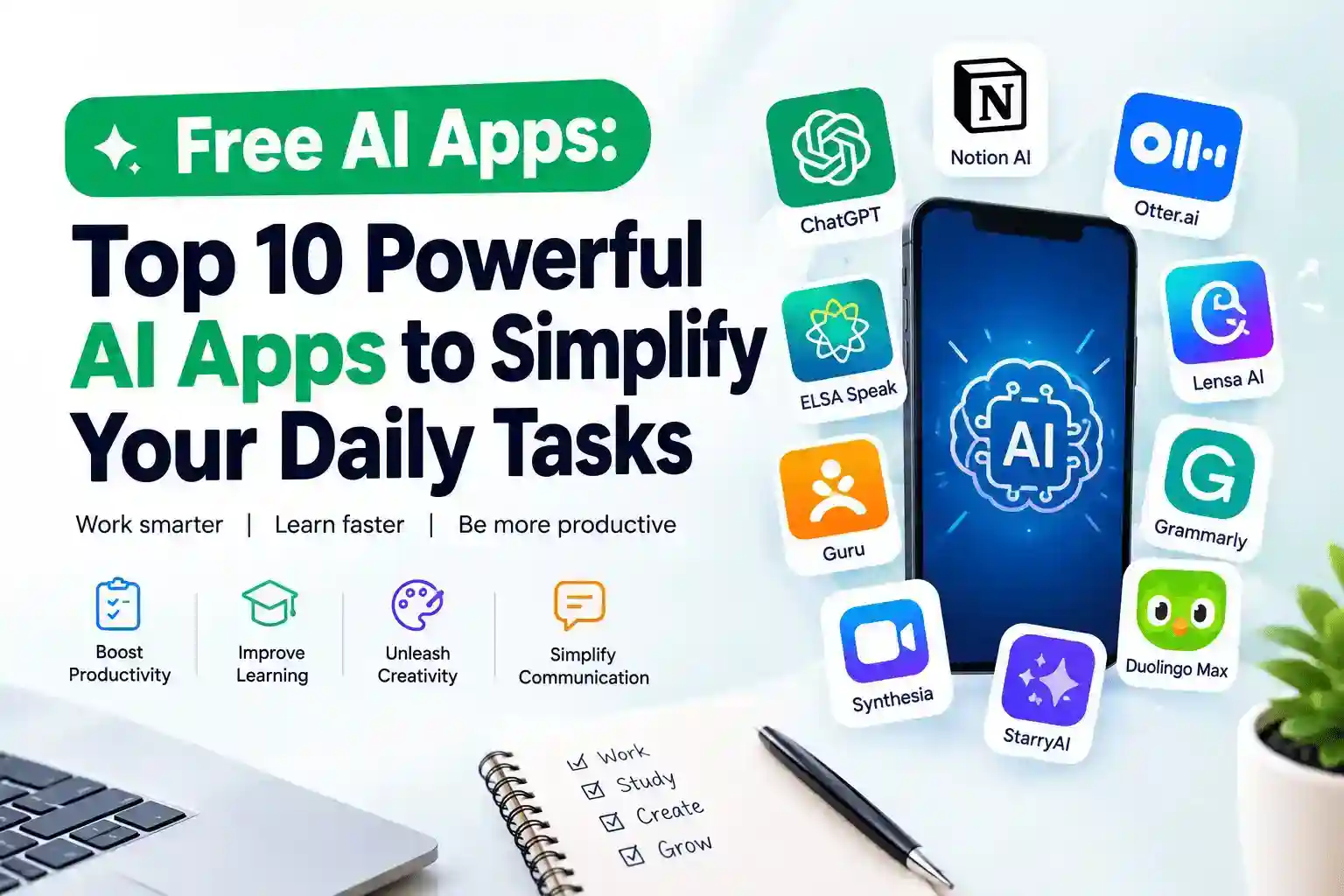
Artificial intelligence has become so important that a lot of free AI Apps has simplify our daily tasks. Ai tools is no longer something reserved for software engineers, researchers, or large technology companies. Today, you can have an AI assistant sitting inside your smartphone, helping you write an email, summarize a long document, learn a new language, create an image, organize your thoughts, or even practice your pronunciation.
And do you know the most interesting part? You don’t always have to pay for it.
There are now several free AI apps that can make everyday tasks faster and less stressful. Whether you are a student trying to understand a difficult topic, a professional preparing a presentation, a content creator looking for ideas, or simply someone who has too many things to do in one day, the right AI app can save you valuable time.
But there is a catch: not every app marketed as “free AI” is actually free in the way you might expect. Some offer generous free plans, while others restrict certain features behind a subscription.
In this guide, we will look at 10 powerful AI apps that can simplify different parts of your daily routine and explain what each one is useful for.
What Is an AI App?
An AI app is a software application developed by a software engineer that uses artificial intelligence to perform both difficult and simple tasks that would traditionally require human intelligence making it fast and more efficient.
Depending on the application, AI can understand written questions, recognize speech, analyze information, generate text, create images, translate languages, or provide recommendations.
For example, instead of spending 30 minutes writing a professional email from scratch, you can tell an AI app like Chatgpt, what you want to say and ask it to turn your rough idea into a polished message.
Similarly, instead of replaying a one-hour meeting recording to remember what was discussed, an AI transcription tool can convert the conversation into text and help you identify important points.
In simple terms, AI apps help you get more done with less manual effort.
What Are the Benefits of Using Free AI Apps?
The biggest advantage is obvious: you can access useful Free AI Apps capabilities without immediately committing money to another monthly subscription.
But the benefits go beyond saving money.
1. They save time
AI can handle repetitive tasks in seconds. Summarizing, proofreading, brainstorming, transcription and basic research are good examples.
2. They improve productivity
Instead of jumping between several tasks, you can use AI to organize information and help you focus on the work that actually requires your attention.
3. They are useful for learning
Students and self-learners can use AI to explain difficult concepts in simpler language, create practice questions and assist with language learning.
4. They help non-technical users
You don’t need to know how to code to benefit from AI. Most modern AI apps work through simple conversations, buttons and prompts.
5. They can support creative work
Writers, designers, marketers and content creators can use AI for brainstorming, image generation, editing and content planning.
The important thing is to treat AI as an assistant rather than a replacement for your judgment. It can make mistakes, so important information should still be checked.
Top 10 Free AI Apps to Simplify Your Daily Tasks
Here are 10 AI-powered apps worth considering if you want to bring artificial intelligence into your everyday routine.
1. ChatGPT
If you want one free AI app that can handle a wide range of everyday tasks, ChatGPT is one of the easiest places to start.
You can use it for writing, brainstorming, learning, summarizing information, planning, coding and answering questions. Its usefulness largely depends on how clearly you describe what you need.
Imagine you have an email sitting in your inbox that you have been avoiding because you don’t know how to respond professionally. Instead of staring at the screen for 20 minutes, you can provide the context and ask ChatGPT to draft a response.
Students can also use it as a study companion. You can ask it to explain a complicated subject using simple examples, generate quiz questions or help you organize revision notes.
Content creators can use it to brainstorm article ideas, social media concepts, headlines and content outlines.
The free version has limitations compared with paid plans, but it can still be extremely useful for everyday tasks.
Best for: Writing, learning, brainstorming, research assistance, coding and productivity.
A practical example
Instead of typing:
“Explain photosynthesis.”
Try:
“Explain photosynthesis to a 12-year-old using a simple real-life example and then give me five questions to test my understanding.”
The second prompt gives the AI much more direction and usually produces a more useful response.
2. Notion AI
Notion is already popular as a workspace for notes, projects and databases. Its AI features add another layer by helping users work with the information stored in their workspace.
Think about the number of notes people accumulate: meeting notes, project ideas, research material, to-do lists and random thoughts written down at midnight because apparently that is when inspiration likes to arrive.
AI can help turn that information into something more organized.
You can use Notion’s AI capabilities to summarize information, brainstorm ideas, improve writing and work with notes.
For someone managing several projects at once, this can be particularly useful.
Best for: Notes, project management, organization, writing and knowledge management.
A practical example
After a long meeting, instead of leaving your notes as a wall of text, you can use AI to help turn them into:
- Key decisions
- Action items
- Deadlines
- Important questions
- Follow-up tasks
That makes your notes considerably more useful.
3. Otter.ai
Have you ever attended a meeting and realized afterward that you remember the conversation but forgot who was supposed to do what?
That’s where Otter.ai can help.
Otter is an AI-powered transcription and meeting assistant that can convert spoken conversations into text and help organize important information from meetings.
It can be useful for students recording lectures, professionals attending meetings, journalists conducting interviews and teams that need searchable meeting records.
Instead of frantically writing every sentence someone says, you can concentrate on the conversation and review the transcript afterward.
Best for: Meetings, interviews, lectures and voice transcription.
A practical example
Imagine a 60-minute business meeting where several decisions are made. Rather than listening to the entire recording again, an AI-generated transcript and summary can help you quickly identify what was discussed and what needs to happen next.
4. Lensa AI
Not every daily task involves spreadsheets and emails. Sometimes you simply want better-looking photos.
Lensa AI is known for AI-powered photo editing and creative effects. It can help users enhance images and create stylized visual content.
This can be useful for people who frequently post on social media, create personal content or simply want to improve photographs without becoming a professional photo editor.
However, some advanced features may require payment, so users should check what is included in the current free offering.
Best for: Photo editing, portraits and creative visual content.
A practical example
You take a decent portrait but the lighting isn’t great. Instead of opening complicated editing software and spending an hour adjusting settings, an AI-powered editor can automate many of those improvements.
5. Grammarly for Android
Good writing is important whether you’re sending a business email, writing a social media post or messaging a client.
Grammarly uses AI-powered writing assistance to help identify grammar, spelling, punctuation and style problems.
Its Android keyboard can be particularly convenient because it brings writing assistance directly into your phone.
That means you don’t necessarily need to copy your message into another application just to check whether your sentence makes sense.
Best for: Grammar, spelling, proofreading and everyday communication.
A practical example for you, quickly type:
“I have recieve your mail and I will get back to you soon.”
A writing assistant can identify the errors and suggest a cleaner version:
“I have received your email, and I will get back to you soon.”
Small correction? Yes. But if you send dozens of professional messages every week, those small improvements add up.
6. ELSA Speak
Learning a language is one thing. Actually speaking it confidently is another.
ELSA Speak uses AI-powered speech recognition to help people practice English pronunciation.
This makes it particularly useful for learners who understand English reasonably well but want to improve their pronunciation and speaking confidence.
Instead of only reading English lessons, you can practice speaking and receive feedback.
Best for: English pronunciation and speaking practice.
A practical example
Suppose you are preparing for an interview with an international company. Reading sample interview answers silently won’t tell you whether your pronunciation sounds clear.
An AI speaking app gives you an opportunity to practice aloud before the real interview.
That is where technology becomes genuinely practical.
7. Synthesia
Creating professional videos traditionally requires a camera, lighting, microphones, editing software and, depending on the project, a surprisingly large amount of patience.
Synthesia takes a different approach by using AI avatars and text-to-video technology.
Users can create videos from written scripts without necessarily appearing in front of a camera.
This can be useful for businesses, educators and content creators producing training or informational videos.
Best for: AI video creation, presentations, training and educational content.
A practical example
A company needs a short employee training video but doesn’t have the time or equipment to organize a full video shoot.
An AI video platform can help turn a prepared script into a presentation-style video.
For many small businesses, that can reduce the production barrier considerably.
8. Duolingo Max
Learning a new language can be difficult when your only study partner is a textbook that refuses to talk back.
Duolingo combines language-learning lessons with gamification, while its AI-powered features can provide more interactive learning experiences.
AI features can help learners practice conversations and understand mistakes more clearly.
However, Duolingo Max is not completely free, so it is important to distinguish between Duolingo’s free experience and its premium AI features.
Best for: Language learning and conversational practice.
A practical example
Instead of memorizing vocabulary alone, learners can practice responding to simulated conversations and receive explanations when they make mistakes.
That makes language learning feel less like studying a list of words and more like preparing for an actual conversation.
9. StarryAI
If you have ever had an idea for an image but don’t know how to create it manually, an AI image generator can be useful.
StarryAI allows users to generate artwork and images from text prompts.
For example, you could describe a futuristic African city powered entirely by solar energy and use an AI image generator to turn the concept into a visual.
This can be useful for bloggers, social media creators, marketers and people experimenting with digital art.
Best for: AI-generated images, artwork and creative projects.
A practical example
A blogger needs a visual concept for an article but doesn’t have access to a photographer or designer.
Instead of using a generic stock image that appears on 500 other websites, an AI image generator can create a more specific concept.
Of course, you should always check the platform’s current usage and licensing terms before using generated images commercially.
10. Guru
Modern workplaces are full of information scattered across documents, messages and internal resources.
Guru is designed to help teams organize and retrieve company knowledge using AI-powered search and knowledge-management features.
Instead of repeatedly asking colleagues the same questions, employees can search a centralized knowledge base.
For growing businesses, this can become especially valuable.
Best for: Team knowledge, internal information and workplace productivity.
A practical example
Imagine a new employee joining a company. Instead of sending messages such as:
“Where can I find the pricing document?”
or
“What’s our process for handling this type of customer?”
a well-organized AI-powered knowledge system can help them find answers faster.
How to Choose the Right Free AI App
You don’t need ten Free AI apps installed on your phone just because a blog told you they are useful.
In fact, having too many tools can create another problem: tool overload.
Instead, start with the problem you want to solve.
If you write frequently, try an AI writing assistant.
If you attend many meetings, look at transcription tools.
If you are learning English, a pronunciation-focused app may provide more value than a general chatbot.
If you manage projects, an AI-powered workspace may be more useful.
Also check the free-plan limitations before committing to an app. Some platforms offer free access but restrict the number of prompts, generations, minutes, storage or advanced features.
The smartest approach is simple:
Problem → Tool → Test → Keep or Remove.
Don’t collect AI apps like Pokémon.
Are Free AI Apps Really Free?
This is an important question.
“Free” can mean different things depending on the application.
Some AI apps offer a genuinely useful free tier but limit advanced features. Others offer a limited number of daily or monthly uses. Some provide basic features for free while reserving premium capabilities for subscribers.
There can also be differences between the free web version and the mobile application.
Therefore, before relying heavily on a particular AI service, check its current pricing and free-plan conditions.
And remember: you are sometimes paying with more than money. Some free services may collect usage data, so review the privacy policy before uploading sensitive personal, financial or business information.
Conclusion
The best free AI apps are not necessarily the ones with the longest list of features. They are the ones that solve a real problem in your everyday life.
You might use ChatGPT to understand something you couldn’t figure out yourself. Grammarly can clean up an important email before you send it. Otter.ai can turn a long meeting into searchable notes. ELSA Speak can help you practice pronunciation. An AI image generator can turn an idea in your head into something you can actually see.
That is the real promise of AI.
It isn’t about making humans unnecessary. It is about removing some of the repetitive work that gets in the way of what humans actually want to accomplish.
Start with one app. Learn how to use it properly. Then add another when you have a genuine need.
Because the goal isn’t to use more AI.
The goal is to get more done with less friction.
FAQs (Frequently Asked Questions)
Which Is the Best AI App for Free?
There isn’t one universal answer because the best free AI app depends on what you need to accomplish. For general-purpose tasks such as writing, brainstorming, learning and problem-solving, ChatGPT is a strong starting point. For grammar and proofreading, Grammarly may be more suitable, while ELSA Speak is better suited to pronunciation practice.
Can I Use AI for Free on My Phone?
Yes. Many AI services offer mobile applications or mobile-friendly websites with free plans. However, the features available for free vary between platforms, and some advanced functions may require a subscription.
Is There a Better Free AI Than ChatGPT?
“Better” depends on the task. ChatGPT is designed as a general-purpose AI assistant, but specialized tools can perform better for specific jobs. For example, a dedicated pronunciation app may be more useful for English speaking practice, while a transcription service may be better for converting meetings into text.
Rather than looking for one AI that does everything, choose the tool that performs the particular task you need.
Does Google Have a Free AI Program?
Yes. Google offers AI products and services, including Gemini, with free access options. The exact features and usage limits can change over time, so users should check Google’s current offering before choosing a plan.
Are Free AI Apps Safe to Use?
Many reputable AI apps can be used safely, but you should still be careful about the information you provide.
Avoid uploading passwords, banking information, private documents, confidential business information or other sensitive data unless you understand how the service handles that information.
Also download apps from legitimate app stores or official websites to reduce the risk of installing malicious software.
Can AI Apps Replace Human Workers?
AI can automate certain tasks, but that does not mean it can completely replace humans in every job.
AI is particularly good at repetitive, information-heavy and pattern-based tasks. Human judgment, creativity, communication, leadership, empathy and real-world decision-making remain important.
The more useful way to think about AI is as a productivity tool that can increase what one person is capable of accomplishing.
What Is the Best AI App for Students?
The best option depends on the student’s needs. General AI assistants can help explain difficult concepts, generate practice questions and organize study material. Language-learning applications can help with vocabulary and pronunciation, while transcription tools can help students turn lectures into searchable notes.
Students should use AI as a learning aid rather than simply asking it to complete assignments without understanding the material.
Can Free AI Apps Help With Work?
Absolutely. Free AI tools can assist with tasks such as drafting emails, summarizing documents, brainstorming ideas, organizing notes, creating presentations, proofreading and transcribing meetings.
The key is to use AI for tasks where it genuinely saves time while keeping human oversight for important decisions.
